
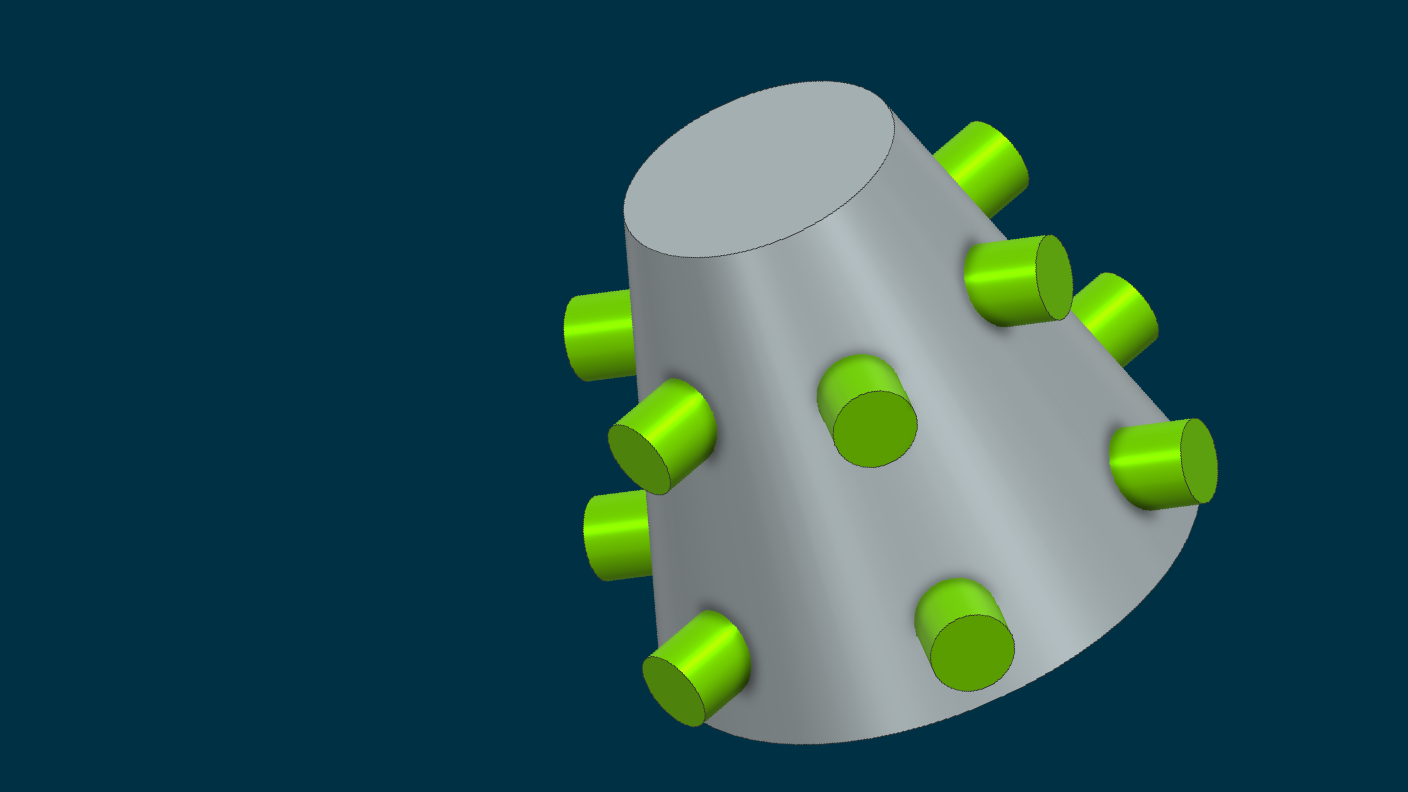
Our video series spotlights the newest enhancements introduced in Siemens NX 2512, released in December 2025. Among the key improvements are the addition of an axial pattern layout option, a convenient new sketch gesture to toggle between lines and arcs, upgraded flange capabilities, the flexibility to make target and tool bodies optional when creating Boolean features, and the introduction of mechanism mode in customer defaults. Here’s a closer look at what each update brings to your workflow.
AXIAL Pattern layout
Brand new in Designcenter NX 2512 there is now an Axial Pattern Layout option in the Pattern commands! This will enable the quick creation of cylindrical or conical patterns for your designs, and can be measured within the tool either along the Angle or along the Axis for an easily detailed pattern.
Switching Between Lines and Arcs
A new sketch gesture that is available now in Designcenter NX 2512 is making the ability to switch between lines and arcs in Sketching easier than ever. To quickly switch between the Line and Arc commands, simply hold the Ctrl key on your keyboard and the left mouse button and drag away. This gesture will allow for easy profile creation in the NX Sketch Environment.
Flange Enhancement – Keypoint
You can now create and modify Sheet Metal flanges using geometric reference points, called keypoints, to define the length of the flange. Keypoints can be selected from a number of objects and their edges such as solid of sheet bodies, surfaces, as well as from curves and sketch features. The keypoint is associative allowing for robust designs.
Optional Bodies in Boolean Features
Now available in Designcenter NX 2512 there is an option that can be turned on so that target and tool bodies can be optional when creating Boolean features. This works for Unite, Subtract and Intersect, and will let you select or have selected empty Feature Groups on the Part Navigator. With this option, you can switch out bodies created with different features to allow for quick design iterations inside the part.
mechanism mode - customer default
An important new improvement to Sketching in Designcenter NX is now available. We can turn on Customer Default that will allow Sketches to automatically use Mechanism Mode when creating our curves. Turning on this option lets us engineer more complicated sketches for mechanisms or skeletons to be used and reused in our design files! .
Summary of Updates
As the field of engineering design evolves, Siemens NX 2512 introduces a range of forward-thinking features designed to make your workflow more efficient. We hope this summary helps you stay informed.
Devin Croswell, our dedicated NX Trainer, regularly shares insights on the latest updates. Stay connected by following him on LinkedIn @DevinCroswell or subscribing to our YouTube channel.
If you or your team are interested in NX Training, we invite you to explore all the options we offer.
